Build effective Flows
Design Flows that drive adoption without overwhelming your users
Table of Contents
Flows work best when they're short, targeted, and timed to the moment a user is most likely to act. These guidelines help you design Flows that drive feature adoption and onboarding completion without disrupting your users' work.
Use single Tooltips for feature adoption
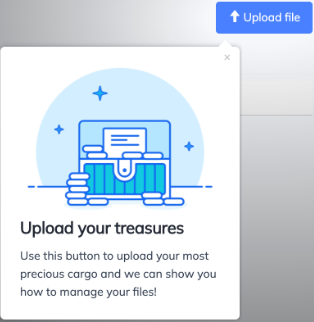
A single Tooltip pointed at a new UI element is the most effective way to introduce a feature. It doesn't interrupt the user's workflow, it's fast to read, and it creates awareness even if the user doesn't act immediately.
Target the Tooltip to post-activation users who would benefit from the feature, and measure adoption rates over 7–30 days.
Avoid multi-step Flows or large overlays for feature callouts. Users are more likely to read one focused Tooltip than a sequence of Modals or Slideouts.
Delay Flows until users have settled in
Don't show a Flow the instant someone logs in. Users are less likely to engage when they feel bombarded before they've done anything.
Set your Flow's page targeting to trigger after the user has seen at least 2 page views in the current session. This gives them time to complete whatever they logged in to do, so they're more receptive when your tip appears.
Add step numbers to multi-step Flows
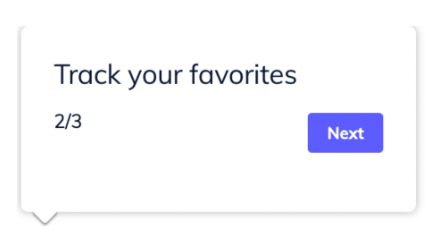
When a Flow has more than one step, add step indicators (e.g., "1 of 3") so users know how long it will take. This reduces drop-off because users won't assume the Flow goes on indefinitely.
Place short Flows on key subpages
Create 1–3 Tooltip Flows on each major section of your product. Target them to users visiting that page for the first time (use a user property or event to track this). The first time someone lands on that page — whether it's session 1 or session 100 — they see a quick guide to getting value from it.
Stick to Tooltips or Slideouts for subpage guides. Modals block the full screen and feel heavy for contextual help.
Give new users an opt-out
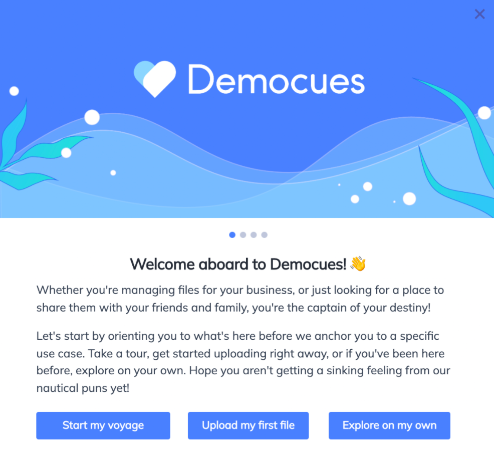
Always offer a "Skip" or "Explore on my own" option on your welcome or onboarding Flow. Many users want to look around before committing to a guided path.
For users who skip, follow up after a few page views or on their next session if they still haven't completed the first key action. You can use segments to target users who dismissed the welcome Flow but haven't activated yet.
Pair Flows with a Checklist
Build a Checklist that maps to your activation milestones, and link each Checklist item to the corresponding Flow. Use event-based completion (not Flow completion) so that users who figure things out on their own still get credit.
This approach supports multiple learning styles: guided users walk through the Flows, self-directed users explore freely, and both see progress on the same Checklist.
Set a frequency cap for active users
Prevent frequent users from seeing too many Flows by configuring a frequency cap in your account, for example "1 Flow per hour."
This is especially important when multiple teammates are publishing Flows to the same audience. Without a cap, a daily user could see a new Flow every time they log in. See Experiences frequency limit for setup instructions.
What to avoid
Don't use Modals for anything except welcome screens. Modals take over the full screen and block what the user is doing. The exception is passive Flows that users explicitly opt into — for example, a Flow launched from a Launchpad item, where the user chose to open it.
Don't use beacons on Tooltips. Beacons are designed for Hotspots. When you put a beacon on a Tooltip, users try to click the beacon instead of the element it's attached to.
Don't rely on video as the only instruction method. Embedded videos help visual learners, but they're optional content for most users. Always pair a video with written steps or an interactive walkthrough so users can learn by doing.
Don't build a full product "tour." Users don't want to see every feature on their first login. Focus on driving them to their first moment of value, then use progressive disclosure — introducing features as they become relevant based on the user's behavior, not time since signup.
Don't start a Flow with a navigation step. If the first thing a Flow does is redirect the user to another page, it looks like a bug. Show at least one visible step before navigating the user elsewhere. Note: a Flow that begins with a navigation step won't display recent user data on its analytics page (though events are still captured in the CSV export).